How to change the organization name?
Written by AdOpt
Updated
When creating an account on AdOpt, an Organization will be automatically generated with a generic name, following the pattern of the registered email.
To change the Organization Name, follow our step-by-step guide:
1. Log in to your AdOpt account.
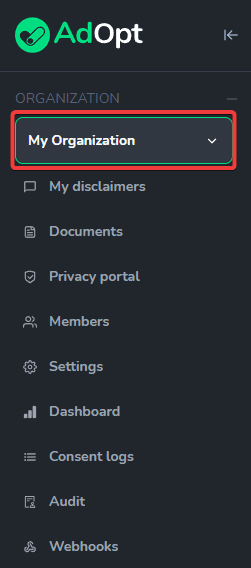
2. In the left sidebar menu, click on My Organization and select the Organization whose name you want to change.
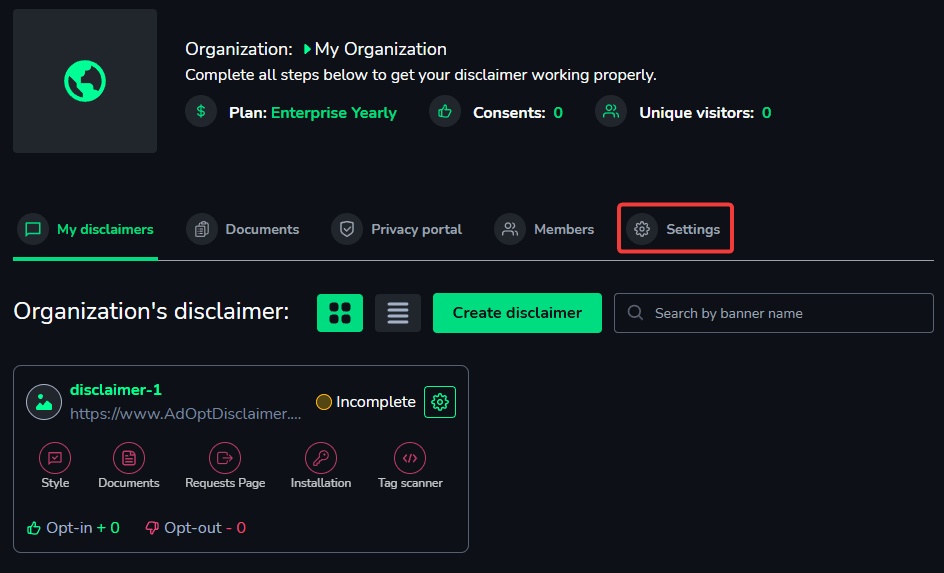
3. On your organization’s page, click on Settings.
4. In this window, you can modify:
(1) The organization's Name
(2) Add a Description to help manage organizations (companies, clients, partnerships)
(3) Customize the Access Link.

(4) Don't forget to hit Save to apply the changes.
With that, your organization's name will be successfully changed and configured. It will now appear throughout the website with the new name, description, and link you selected.